Setting Up Mango WM on My Desktop
Thought I would try out a new dynamic window manager called MangoWM.
It's a Wayland compositor — tiling, tag-based, minimal. It sits in the same space as dwl but with a cleaner config format and a few quality-of-life additions that made it worth trying. No GNOME, no KDE, no compositor framework weighing things down. Just a window manager that does what I tell it.
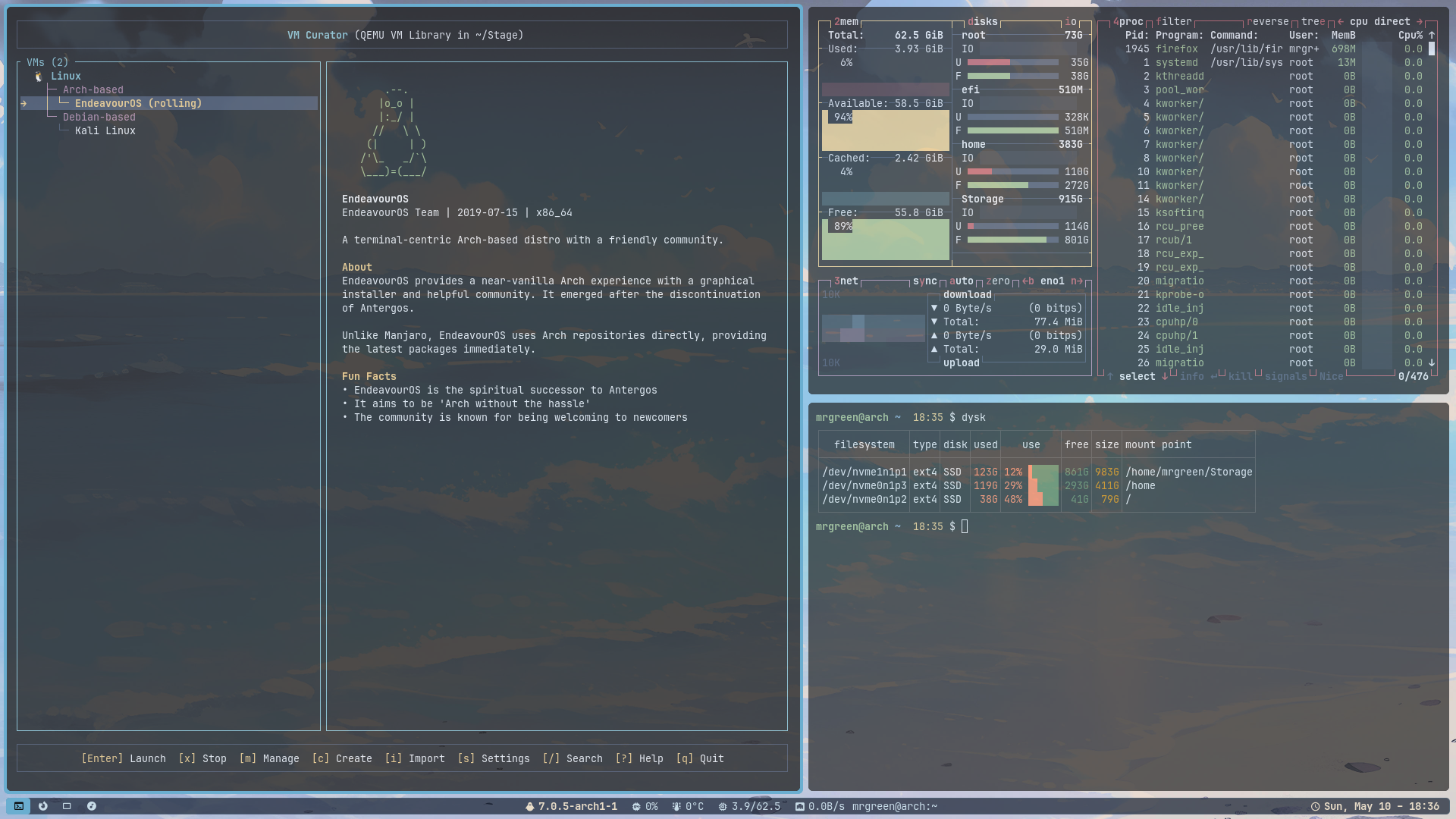
The Stack
Everything around the compositor is hand-picked:
- swaybg for the wallpaper — a beach photo that survived several config cleanups and earned its place
- waybar for the panel — ext/workspaces on the left, stats drawer in the centre, system tray on the right
- mako for notifications — styled dark with a soft blue border, anchored top-right
- wmenu as the launcher — lightweight, keyboard-driven, fits the minimal philosophy
- foot as the terminal
Keybindings
Everything runs through Super. No Alt conflicts, no guesswork:
Super+Return— foot terminalSuper+Space— wmenu launcherSuper+w— FirefoxSuper+t— TelegramSuper+b— GNOME BoxesSuper+q— kill windowSuper+f— fullscreenSuper+s— floatSuper+1–9— switch tagsSuper+Shift+1–9— move window to tagSuper+Shift+arrows— focus directionPrint— full screenshotSuper+Print— region screenshot
Screenshots land in ~/Screenshots/ with a timestamp filename and a notify-send confirmation.
Visual Tuning
The defaults needed work. Animations were the first thing to go — all durations set to zero, layer animations disabled. The compositor feels snappier for it.
Gaps are 3px all round. Focused windows get a soft green border (0x88bb88ff) — just visible enough to know what you're looking at without shouting.
Window rules assign apps to fixed tags automatically: Firefox to tag 3, Telegram to tag 2, GNOME Boxes to tag 4. The workspace is consistent every time.
What I Like About It
Tag-based layout suits the way I work. I don't want infinite dynamic workspaces — I want a fixed map I can navigate without thinking. Mango handles that well.
The config format is readable. Changes are fast to test. Compared to the yak-shaving involved in some other compositors, it's been surprisingly low-friction once the initial setup was done.
It's not perfect. The ecosystem is smaller than Hyprland or sway. Documentation is thin in places. But for a personal desktop that I understand top to bottom, it works exactly as intended.